Compliance tracking for UK accounting firms
Stay ahead of company obligations in Google Sheets.
Turn company numbers into a live view of deadlines, changes and actions.
See how it works ↓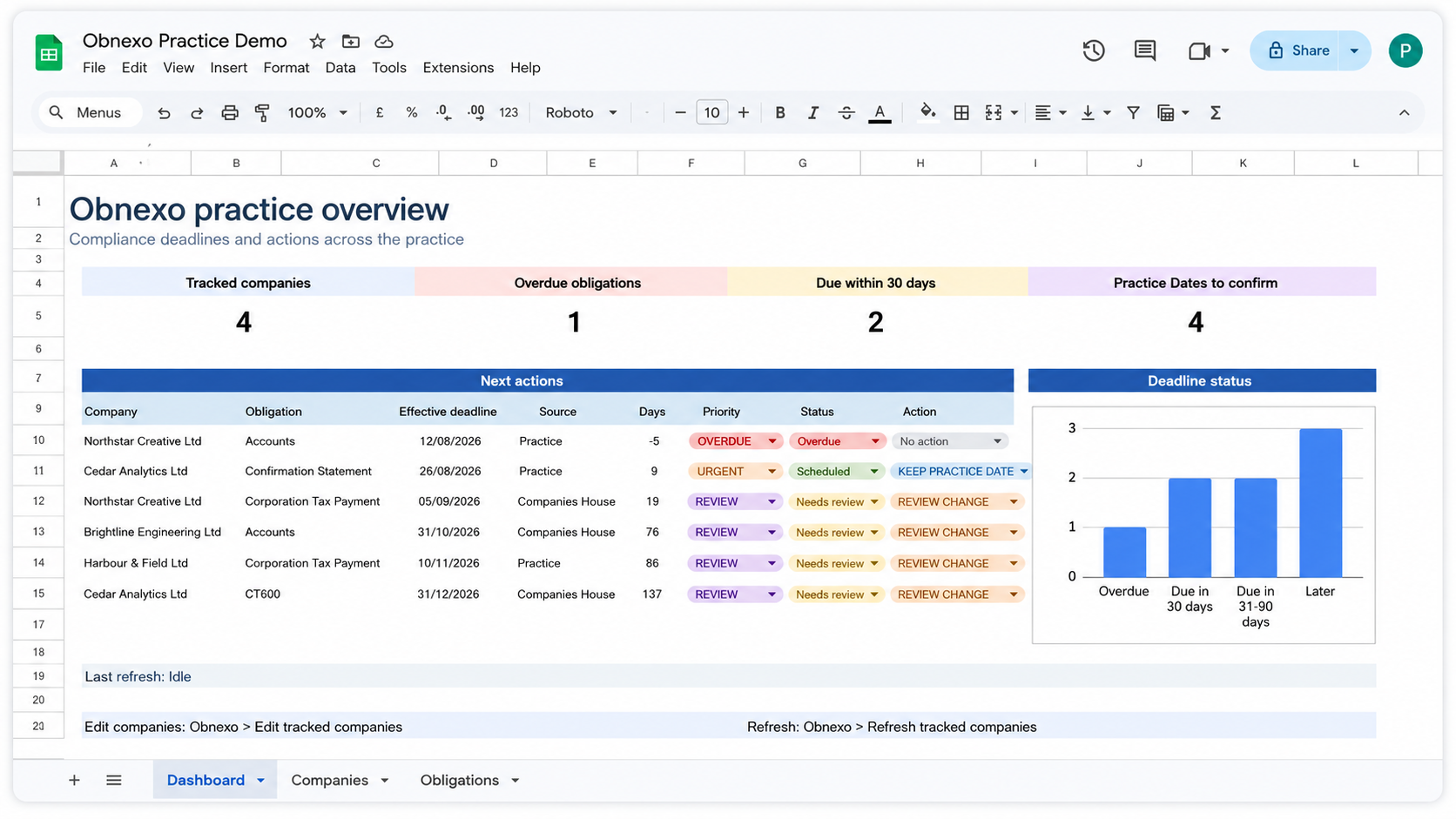
How it works
From company list to live obligation view
Start with the companies you manage. Obnexo structures the obligation data around them and keeps the working view inside Google Sheets.
- 01
Add your companies
Start with the company numbers your practice already manages.
- 02
Refresh obligation data
Bring relevant Companies House information into the sheet in a consistent, structured form.
- 03
Review what needs attention
Surface overdue, upcoming and review items across the portfolio.
One operational view
See the portfolio, not just individual companies
How to track filing deadlines across multiple client companies
The Obnexo dashboard brings the most important compliance work into one practice-level view. See overdue obligations, deadlines approaching, dates that need confirmation and the next actions requiring attention.
Tracked companies
One row per tracked company
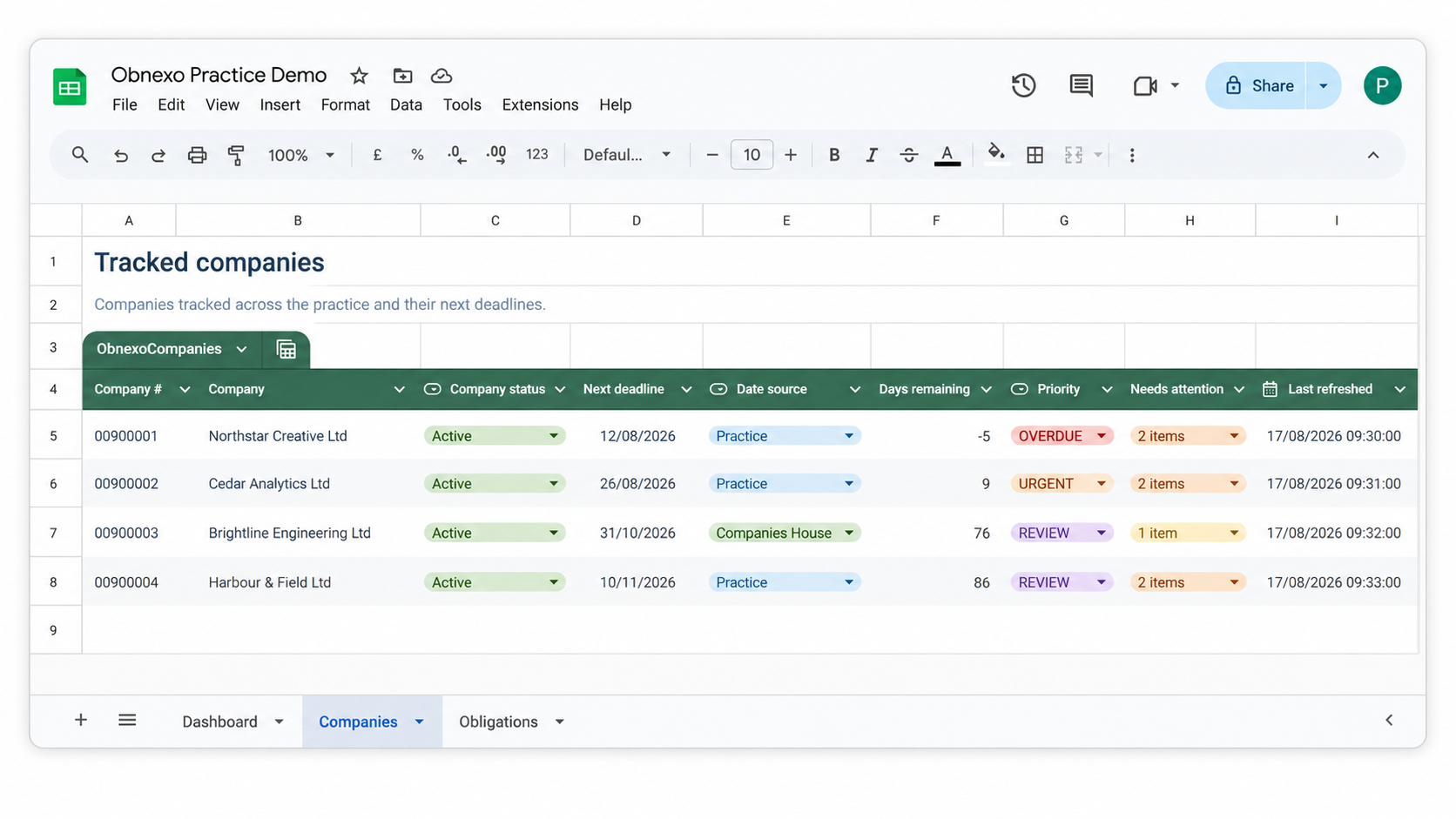
Keep the companies your practice manages in one structured table with the information needed to triage the portfolio. See the next deadline, where the date came from, how many days remain and which companies need attention.
Obligation-level detail
Keep the source, your practice view and the action together
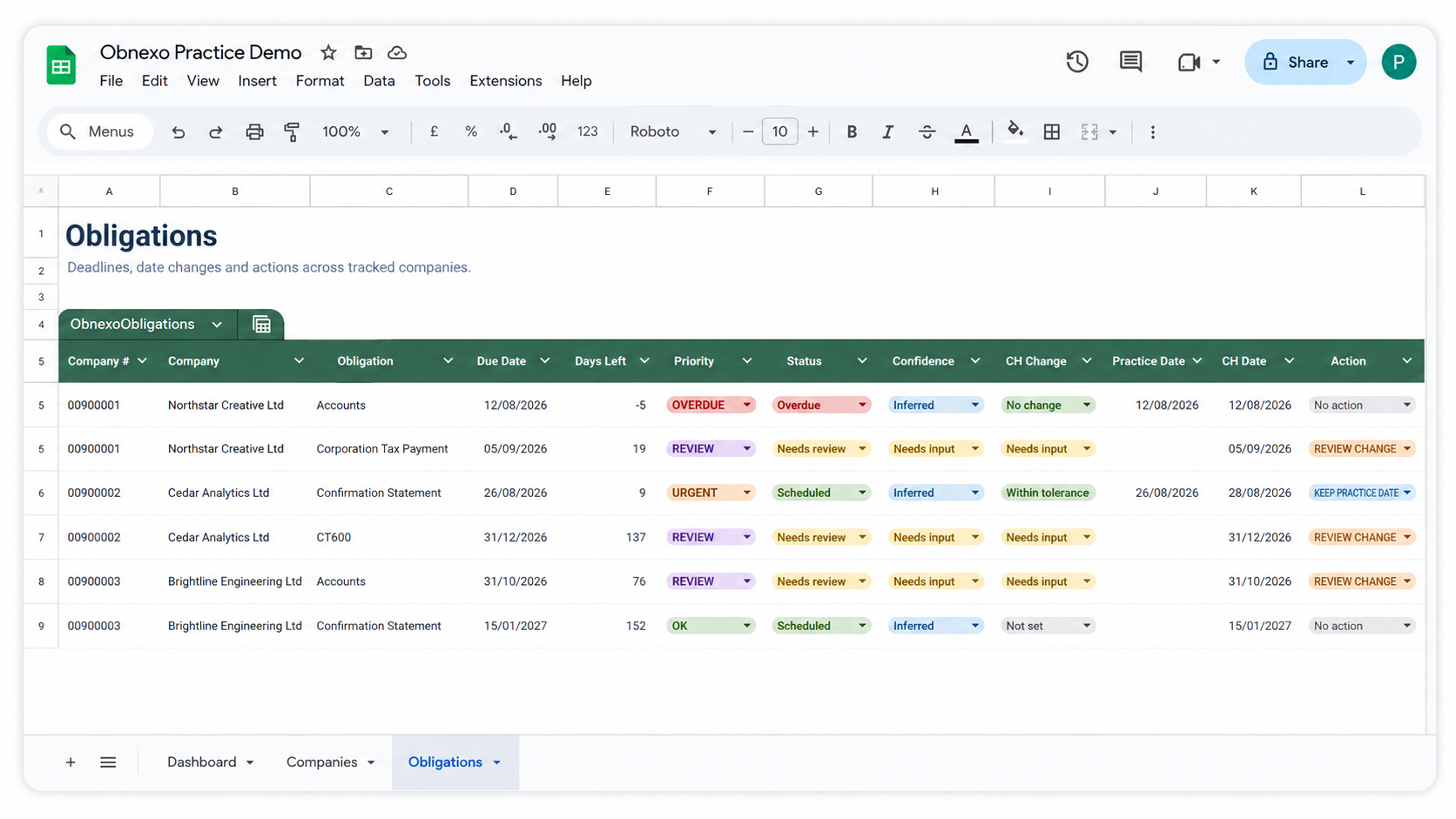
Obnexo does more than list deadlines. For each obligation, the sheet can show the Companies House date, the date your practice is working to, the status of the item and whether anything needs review. That means a change in the source data does not have to become a silent change in your workflow.
Get started
Get your Obnexo workbook
Enter the email address for the Google account you’ll use with Obnexo and complete verification. We’ll email the official workbook link and one-time setup code so you can get started.
Already installed the Google Sheets add-on? Use this same request route. Open your workbook copy from the email, then choose Extensions → Obnexo → Start setup.
Get the sheetFAQs
Questions before you start?
Everything you need to know about getting started with Obnexo.
Still have a question?
support@obnexo.comIs Obnexo a separate practice-management system?
No. Obnexo is designed to work inside Google Sheets. It adds structure and live obligation information to a spreadsheet-based workflow rather than asking your practice to move its compliance process into another system.
What do I need to get started?
A Google account and the company numbers you want to track. Request the sheet and follow the setup instructions sent to your email address.
Where does company information come from?
Obnexo uses Companies House information together with the dates and decisions maintained by your practice. The sheet keeps those different sources visible where they matter.
What happens if a Companies House date differs from our practice date?
Obnexo is designed to surface the difference rather than silently replacing your working date. You can review the change and decide which date your practice should use.
Does Obnexo make filing or compliance decisions for us?
No. Obnexo helps organise company information, obligations, dates and actions. Professional judgement and responsibility remain with your practice.
Do I need to enter a credit card?
No card is required to request the sheet.